Bỏ qua thông tin sản phẩm
1 của 1
6-MONTH VALIDITY REFUND GUARANTEE

Hoàn tiền 5%

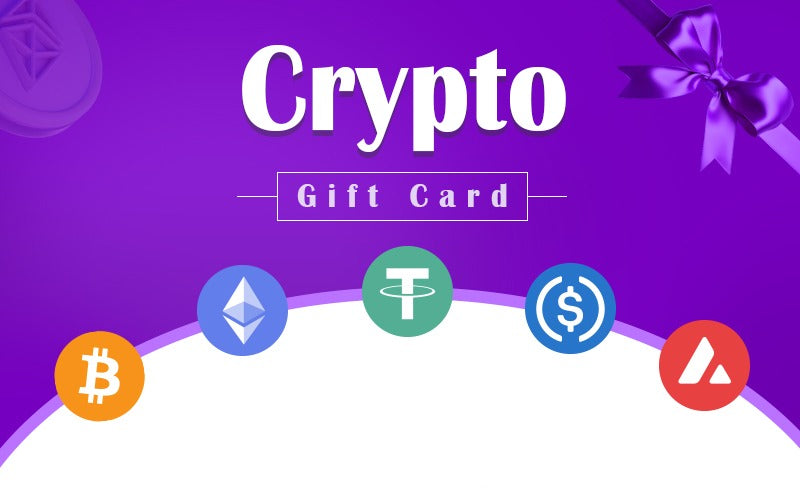
Thẻ quà tặng Crypto DE

Thẻ quà tặng Crypto DE

Giá thường $14.33 USD
Giá bán $14.33 USD Giá thường

Buy now, activate within 6 months

Enjoy the flexibility to purchase today and activate your eSIM when you land.

Refund Guarantee

Vẫn chưa chắc nó hoạt động như thế nào? Đừng lo—hãy thử BitJoy, không rủi ro với bảo đảm hoàn tiền trong 5 ngày.

Giá trị

Tính năng

  • Brand: Crypto Giftcard
  • Country: Germany
  • Denomination Type: FIXED

Nội dung

Cách đổi voucher Cryptogiftcard.io của bạn: - Chuẩn bị ví của bạn, - Đảm bảo bạn có ví crypto hỗ trợ mạng Polygon, - Truy cập Cryptogiftcard.io, - Nhập Nội dung Voucher, - Tìm mã voucher trên voucher cryptogiftcard.io của bạn, - Nhập mã voucher vào trường đổi thưởng trên trang web, - Xác minh địa chỉ email của bạn bằng cách nhập mã OTP được gửi đến email của bạn, - Chọn tiền điện tử của bạn: Chọn tiền điện tử bạn muốn đổi thưởng (ETH, USDT, USDC, BTC, hoặc MATIC), - Xác nhận đổi thưởng, - Xem lại chi tiết và xác nhận việc đổi thưởng, - Tiền điện tử sẽ được chuyển vào ví crypto của bạn, - Xác minh giao dịch: Kiểm tra ví của bạn để đảm bảo tiền điện tử đã được ghi có.

Liên quan: DE, Berlin, Hamburg, Munich, Cologne, Frankfurt

Payment & Security
American Express Apple Pay Diners Club Discover Google Pay JCB Mastercard PayPal Visa
Bitcoin
USDC
Ethereum

Thông tin thanh toán của bạn được xử lý một cách an toàn. Chúng tôi không lưu trữ chi tiết thẻ tín dụng cũng như không có quyền truy cập vào thông tin thẻ tín dụng của bạn.
Xem chi tiết đầy đủ
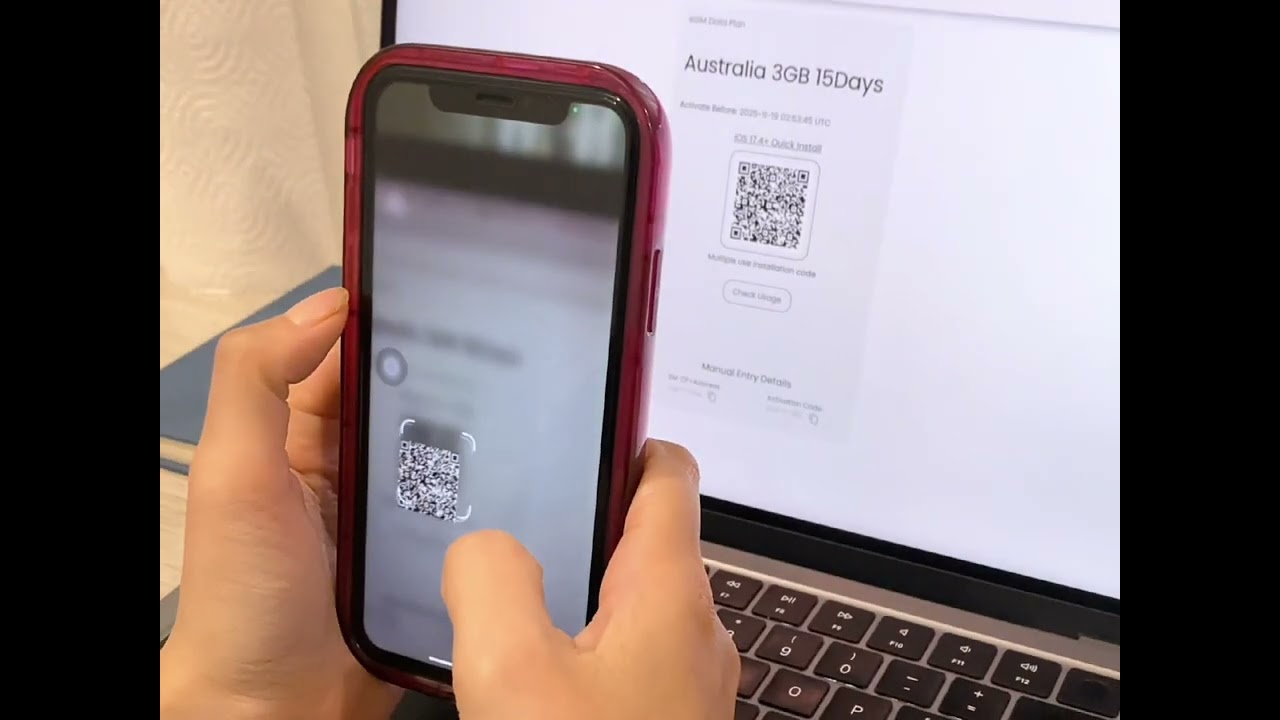
  • Chọn điểm đến của bạn, chọn gói dữ liệu, và hoàn tất thanh toán. Ngay lập tức nhận mã QR qua email, quét mã, và kích hoạt eSIM của bạn một cách dễ dàng—không cần SIM vật lý!

    Khám phá eSIMs
  • Chọn từ bộ sưu tập thẻ quà tặng kỹ thuật số của chúng tôi cho nhiều dịp và điểm đến khác nhau.

    Khám phá Thẻ Quà Tặng
eSIM How It Works Video
Click to play

How Does BitJoy's eSIM Work?

Getting connected with BitJoy is fast, easy, and hassle-free! Just follow these simple steps!
Device compatibility illustration
STEP 1

Check device compatibility

Make sure your phone supports eSIM. Most iPhones (XS or newer) and many Android devices do. Your phone must also be carrier-unlocked.
Purchase plan illustration
STEP 2

Choose and Purchase Your Plan

Select your eSIM plan and complete payment. You'll receive an email with your QR code and activation details instantly.
Install eSIM illustration
STEP 3

Install Your eSIM

QR Code (Recommended)

1
Open Settings → Cellular / Mobile Data → Add eSIM
2
Scan the QR code from your BitJoy email
3
Follow the setup prompts to complete installation

Manual Setup

1
Open Settings → Cellular / Mobile Data → Add eSIM
2
Choose "Enter Details Manually"
3
Enter the SM-DP+ address and activation code from your BitJoy email
Activate eSIM illustration
STEP 4

Activate Your eSIM

Your eSIM connects automatically. Before browsing, be sure to:
Check
Turn on Data Roaming
Check
Set eSIM as your Primary Data Line
Check
Keep SIM active for calls/SMS
Need help illustration
STEP 5

Need Help?

Chat
Live Chat: 24/7 support available
Help
Help Center: Step-by-step guides & troubleshooting
Video
Video Tutorials: Watch setup demos for your device

What our customers are saying

4.4/5.0
  • Video testimonial by Alex
  • 5 stars
    It activated quickly. I connected without any issues after receiving the QR code in a matter of minutes. The ability to pay with cryptocurrencies was also appreciated; the entire process went well. I had no trouble staying connected during my journey because of it. For hassle-free internet access, BitJoy is a great option if you're planning a trip soon!
    Carl Walker
    Location
    United States
    Closing quote
  • 5 stars
    The activation process is not complicated, and it was done quickly by following the steps. The payment method is also flexible. I tried credit card and cryptocurrency payment, and both were completed smoothly, and the payment was immediate. When I arrived at the local area, I scanned the code to connect to the Internet, which is very convenient and very suitable for travel.
    Larry Johnson
    Location
    United States
    Closing quote
  • 4 stars
    I'm giving 4 stars because the installation guide didn't mention that I had to set up the APN manually, and support also didn't immediately suggest it. I had to do some troubleshooting myself. Other than that, so far so good. P.S. I used it in Turkey and the APN is 'isp.'
    Dmitry Ungurean
    Location
    Netherlands
    Closing quote
  • 4 stars
    Activation is simple, and payment supports multiple methods, including cryptocurrency, and the operation is very smooth.
    Albert Hill
    Location
    United States
    Closing quote
  • 5 stars
    The experience is good, the whole process is smooth, and it is very user-friendly.
    Tony Robertson
    Location
    United States
    Closing quote
  • 5 stars
    I purchased data from BitJoy for my father. Data worked as promised by the team. My father didn't face any problem at Toronto airport.
    Rahul Sharma
    Location
    United Arab Emirates
    Closing quote